How to Charge Multiple Tablets at Once in 2026?

Time:2026-09-18 Author:Charlotte
0%

Charging one tablet is simple. Charging eight is a different problem.

What is the best way to charge multiple tablets at once? The practical answer combines a powered USB-C charging station, compatible cables, and careful power management. A crowded wall socket rarely provides the control needed for classrooms, hotels, clinics, or busy offices. A dedicated multi-port charger keeps cables organized and delivers power from one monitored location.

Jeff Ravencraft, president and chief operating officer of the USB Implementers Forum, has emphasized that “USB Power Delivery enables flexible power delivery over USB Type-C.” That flexibility matters when tablets have different battery sizes, charging speeds, and port standards. A modern USB-C PD station can distribute power intelligently, while smart charging cabinets add ventilation, locking storage, and device identification.

Small details matter.

Measure the charger’s total output, not just its port count. Ten ports do not guarantee ten fast charges. For example, a 200-watt charger may slow down when several tablets draw power simultaneously. Check each tablet’s supported wattage, cable rating, and charging protocol before purchasing. Cheap cables can become warm, fail early, or reduce charging speed.

Experience also reveals an uncomfortable truth: the “best” setup depends on the environment. A school may value storage and supervision, while a family may prefer a compact desktop hub. I would not treat every advertised charging speed as reliable without testing it under full load. This guide examines charger capacity, USB-C compatibility, heat control, cable management, and real-world charging performance, helping readers choose a safer and more dependable solution.
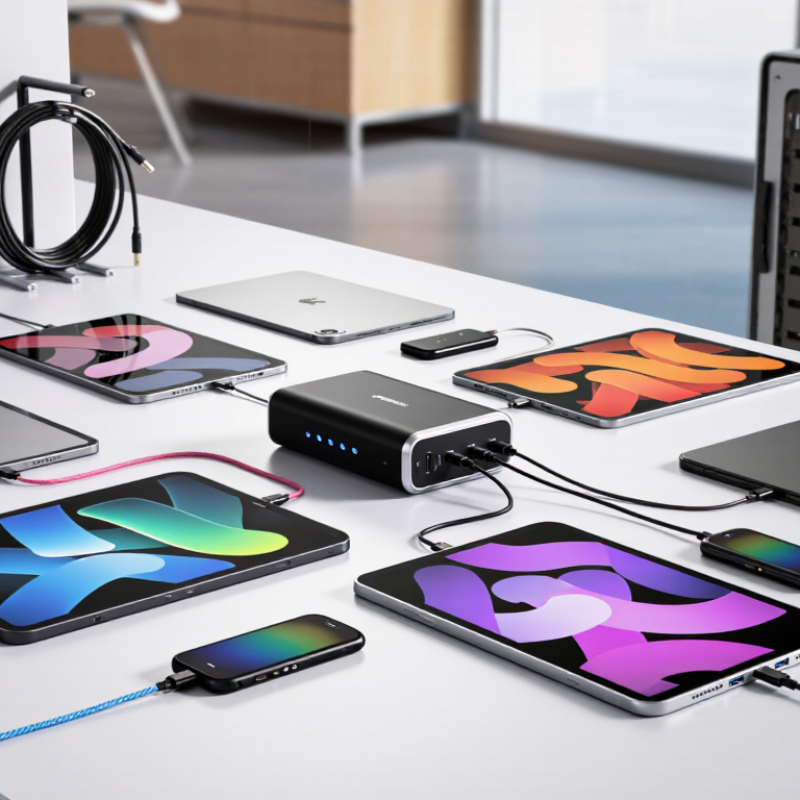
How to Charge Multiple Tablets at Once in 2026?

Understanding Power Requirements for Charging Multiple Tablets

Charging several tablets is mainly a power calculation, not a cable-counting exercise. A typical tablet may draw 10 to 30 watts while charging, depending on its battery level and charging protocol. Four devices can therefore require 40 to 120 watts before electrical losses are considered. Leave headroom, because shared chargers rarely deliver their maximum output continuously. Check the charger’s total wattage and each port’s individual limit. A high total rating does not guarantee equal distribution. This distinction is easy to miss.

Tips: List each tablet’s required input before choosing a charging station. Add the wattages together, then allow at least 20 percent extra capacity. Use short, certified cables with secure connections. Inspect damaged insulation immediately. Keep the charger on a hard, open surface, not under clothing or papers. Heat can slow charging and shorten equipment life. Separate crowded cables when possible.

Charging speed also depends on battery temperature, cable quality, and the tablet’s internal charging controls. An older tablet may accept power slowly, even when the charger has unused capacity. I have learned to check temperatures after thirty minutes, because a cool setup is usually more dependable. Still, I occasionally underestimate cable resistance. That is a useful reminder to test the complete arrangement, not only the charger’s printed specifications. A small power meter can reveal unexpected drops.

Choosing Between Multi-Port Chargers, Charging Stations, and Hubs

When several tablets need power, the right choice depends on location, load, and cable discipline. A multi-port charger suits a desk or travel bag. It keeps the setup small and usually offers several USB-C outputs. Check its total wattage, not only the number of ports. Six ports may share power when many devices connect. A charger with 100 watts can still deliver less per tablet under heavy demand. I test it with three partly charged tablets before relying on it. Real use is less tidy than specifications suggest.

A charging station works better in classrooms, offices, or family rooms. It gives each tablet a marked slot, shorter cable paths, and better visibility. Look for ventilation, replaceable cables, overload protection, and a stable base. Slots should fit protective cases, or users will remove them and create clutter. This option costs more space. It also becomes a permanent fixture, which may be inconvenient.

A hub is different. It mainly expands connectivity for one tablet or computer rather than serving as a dedicated charging system. Some hubs pass through power, but their output may drop when displays, storage, or other accessories are active. Use one when charging and data transfer happen together. Do not expect fast charging for many tablets. Check each device’s required input, cable rating, heat buildup, and the station’s safety documentation. Choose equipment with clear electrical ratings and recognized safety testing. I have underestimated cable quality before. That mistake caused slow charging, not a dramatic failure, but it wasted an afternoon. Leave airflow around every power unit.

Checking Tablet Compatibility, Cable Standards, and Charging Speeds

Charging several tablets at once begins with compatibility, not the number of ports. Check each tablet’s charging port, input requirement, and supported protocol. A USB-C port does not guarantee identical charging performance. Some tablets accept USB Power Delivery, while others draw only basic USB power. Older devices may require a different connector or a limited charging mode.

Cable standards matter more than they appear. Use cables rated for the charger’s voltage and current. A cable designed for low-power charging can restrict a faster adapter. For USB-C devices, electronically marked cables may be necessary at higher power levels. Keep cables short when possible. I have seen long, thin cables become warm and charge slowly. That experience changed how I test a multi-tablet setup.

Charging speed also depends on shared power. A 100-watt charger may divide its output across four ports. One tablet might receive 45 watts, while three others receive much less. Check the charger’s output table, not only its maximum number. Leave some capacity unused for stability. Fast charging can create extra heat, especially when screens are active. Place tablets on a hard, open surface, and avoid covering them with fabric. My own testing was imperfect because battery levels changed during comparison. A repeatable test needs similar battery percentages, matching cables, and inactive screens. Even then, the fastest result is not always the healthiest daily choice.

Setting Up a Safe and Efficient Multi-Tablet Charging System

How to Charge Multiple Tablets at Once in 2026?

Setting Up a Safe and Efficient Multi-Tablet Charging System

A reliable multi-tablet setup begins with a power audit. Check each tablet’s charging requirement in its manual, then calculate the combined wattage. Choose a certified multi-port charger with enough capacity and built-in overload protection. Avoid connecting one power strip to another. That shortcut creates unnecessary heat and complicates fault protection. Leave space between charging devices, especially inside cabinets or storage drawers.

Use short, undamaged cables with clear labels. Matching each cable to its tablet prevents daily confusion. Place the charger on a hard, ventilated surface, not beneath papers or fabric. I prefer checking cable ends weekly for looseness, discoloration, or fraying. Small defects can become serious problems. A timer may reduce overnight charging, but it should not replace supervision or proper battery settings. Keep the area dry and away from sinks, windows, and direct sunlight.

A simple charging station can include a ventilated tray, cable clips, and a written inspection log. Record unusual warmth, slow charging, or repeated connection failures. These details help identify failing equipment early. In one setup, I packed cables too tightly and noticed warmer connectors. Loosening them fixed the issue, but the mistake was avoidable. Tablet batteries and charging systems vary, so follow current manufacturer guidance instead of assuming every device behaves alike. Check the station after installation, then review it regularly.

How to Charge Multiple Tablets at Once in 2026? - Setting Up a Safe and Efficient Multi-Tablet Charging System
System Type Tablet Capacity Planning Power per Tablet Estimated DC Output Recommended Supply Capacity Typical Use Case Safety and Efficiency Requirements
Compact charging station 4 tablets 15 W 60 W Home, small office, or occasional charging Use a certified power adapter, undamaged cables, and a ventilated surface. Avoid covering the adapter or tablets while charging.
Small classroom setup 8 tablets 15 W 120 W Shared devices used by a small group Provide one clearly labeled port per tablet. Keep cables separated from walkways and inspect connectors regularly for heat, bending, or damage.
Medium classroom setup 12 tablets 15 W 180 W Classrooms, training rooms, or team workspaces Choose a charging hub with over-current, over-voltage, short-circuit, and over-temperature protection. Leave airflow around the hub.
High-capacity charging cart 20 tablets 15 W 300 W Schools, libraries, and shared-device programs Use a purpose-built ventilated cart or cabinet. Do not overload a power strip, and confirm that the circuit and plug rating support the total load.
Fast-charge capable system 10 tablets 25 W 250 W Organizations that need shorter charging periods Fast charging works only when the tablet, charger, cable, and charging protocol are compatible. Use cables rated for the intended current and monitor cabinet temperature.
Mixed tablet fleet 16 tablets 15–25 W 240–400 W Different tablet models sharing one charging area Calculate capacity using the highest expected simultaneous load. Separate incompatible connectors with approved adapters and avoid unverified low-cost splitters.
Overnight maintenance charging 12 tablets 10–15 W average 120–180 W Devices charged during scheduled off-hours Place the system on a non-combustible, stable surface. Enable device charging limits when available and stop using any battery that is swollen, leaking, or unusually hot.
Planning note: The recommended supply capacity includes approximately 20% headroom for conversion losses, cable losses, and load variation. Actual charging power depends on the tablet model, battery state, charging protocol, cable quality, and temperature. Confirm the electrical rating of the charger, power strip, outlet, and circuit before deployment.

Managing Heat, Power Distribution, and Long-Term Battery Health

How to Charge Multiple Tablets at Once in 2026?

Charging several tablets is mainly a heat-management problem. Use a power hub with independent ports and visible wattage limits. USB Power Delivery 3.1 supports power negotiation up to 240 watts, but the hub still divides its total output. Six tablets requesting 30 watts each need 180 watts before conversion losses. Leave practical headroom. Heat wins quietly. Keep devices separated, with airflow beneath every tablet. Avoid charging inside a closed drawer or stacked under blankets. The IEC 62368-1 safety framework also emphasizes protection against abnormal temperature and power conditions.

Battery health depends on more than charging speed. The U.S. Department of Energy identifies temperature, high state of charge, and repeated cycling as major lithium-ion aging factors. A useful operating habit is charging most tablets between 20% and 80% when full capacity is unnecessary. This is not universal advice; some work schedules require 100%. The EU Ecodesign Regulation 2023/1670 sets an 80% remaining-capacity benchmark after 800 cycles for covered smartphones and slate tablets. That is a regulatory target, not a promise for every device.

In a real charging cart, check cable warmth after thirty minutes. Warm is normal. Hot deserves investigation. Measure the outlet load with a meter, especially when tablets and accessories share one circuit. Firmware may also change charging behavior, so older tests can mislead. I have seen perfectly rated setups run hotter because cables were tightly coiled. Specifications help, but room temperature, dust, and user habits still matter.

FAQS

How much power do several tablets need while charging?

One tablet may draw 10 to 30 watts. Four tablets may need 40 to 120 watts. Add at least 20% extra capacity.

Does a charger’s total wattage guarantee equal power for every tablet?

No. Ports may share the available power. Six ports can deliver less power when many devices connect.

What should I check before choosing a multi-port charger?

List each tablet’s input requirement. Check total wattage and every port’s limit. Test the charger with partly charged tablets.

When is a charging station more practical than a small charger?

Use one in classrooms, offices, or family rooms. Marked slots keep cables short and devices separated.

Can a hub charge several tablets quickly?

Usually not. A hub mainly expands connectivity. Displays, storage, and data transfers can reduce charging output.

How can I reduce heat during multi-tablet charging?

Keep tablets separated on a hard, open surface. Leave airflow beneath each device. Avoid drawers, blankets, and tightly coiled cables.

How do I know whether charging cables are causing problems?

Check cable warmth after thirty minutes. Warm is normal. Hot requires investigation. A power meter can reveal unexpected voltage drops.

What charging habits may support longer battery life?

When full capacity is unnecessary, charge between 20% and 80%. Some schedules require 100%, so this guidance is not universal.

What safety details matter in a permanent charging setup?

Look for overload protection, stable construction, ventilation, and clear electrical ratings. Inspect damaged insulation immediately.

Can specifications predict real charging performance?

Not completely. Room temperature, dust, cable resistance, and firmware can change results. I sometimes underestimate cable quality. Testing the complete setup is wiser.

Conclusion

Charging multiple tablets at once begins with understanding their combined power requirements. Check each tablet’s recommended input, then choose a reliable multi-port charger, charging station, or powered hub with enough total wattage and ports. The best option depends on the number of devices, available space, and whether you need a portable or organized setup. Before connecting everything, confirm cable compatibility, charging standards, and supported speeds so each tablet receives stable and efficient power without unnecessary delays.

What is the best way to charge multiple tablets at once? Use a properly rated charging system, match suitable cables to each tablet, and avoid exceeding the charger’s total output. Arrange the devices so air can circulate freely, keep cables untangled, and place the setup on a dry, heat-resistant surface. Monitor temperature during heavy use, disconnect damaged cables, and avoid leaving tablets under constant high heat. Periodically checking battery condition and allowing devices to cool can help maintain long-term battery health while keeping the charging system safe and efficient.

Charlotte

Charlotte

Charlotte is a seasoned marketing professional with a deep understanding of the company's portfolio and a passion for elevating its presence in the market. With a keen eye for detail and a commitment to excellence, she ensures that our professional blog is regularly updated with insightful articles......